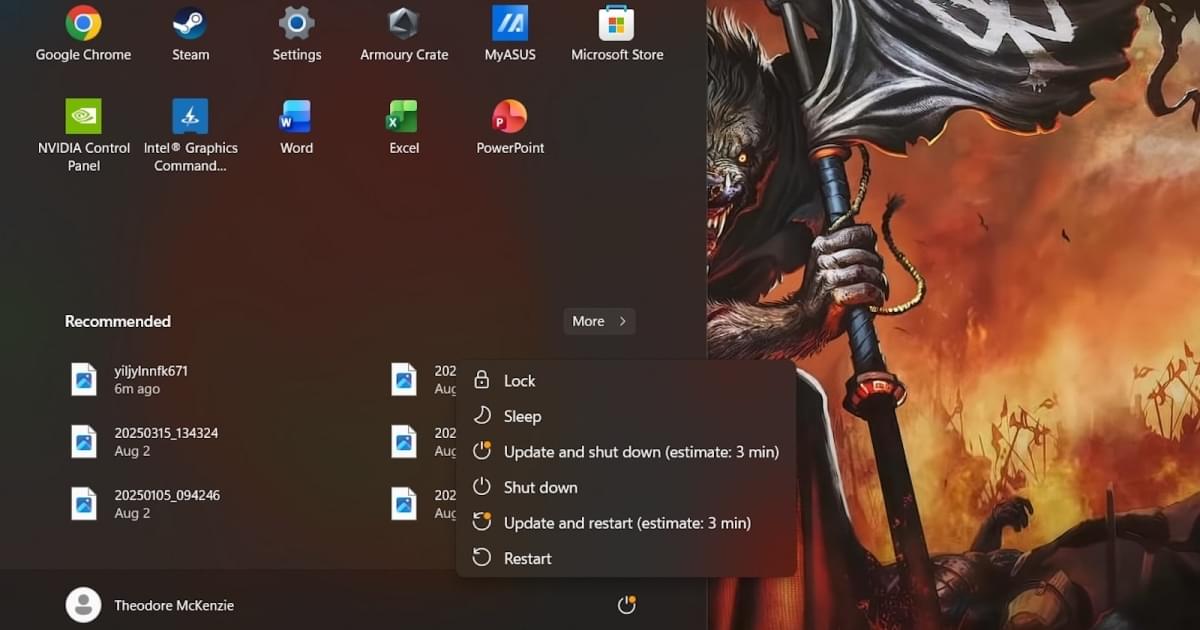
For Mac/Linux users out there who might not be familiar, the bug in question would cause your PC to randomly restart after clicking the “Update and shut down” button, leaving many users wondering if they had accidentally chosen the wrong option. While largely harmless, it became one of the most infamous errors in Microsoft’s OS due to its sheer annoyance and the company’s apparent reluctance to address it for nearly a decade, with some users reporting it as far back as eight years ago in Windows 10.
Marking the end of an era of sorts, the KB5067036 non-security update for Windows 11 has finally resolved the bug, with Microsoft fixing the “underlying issue” that prevented the “Update and shut down” button from actually shutting down your PC. Moreover, the new version also tackles the bug that could cause Windows Update to fail with error 0x800f0983, hopefully making the process of updating your PC a bit less cumbersome.
It’s about time Windows fixed that confusing behavior — I can’t count how many times I selected ‘Update and Shut Down’ assuming the update would finish while the PC powered off, only to find it still mid-update later. Curious to see if this change also speeds up shutdown time, since long update cycles have always been a pain, especially on laptops running low on battery.